solution ⑤

AI Implementation & Adoption

Put the AI in your existing software to work, with clear rules and training.
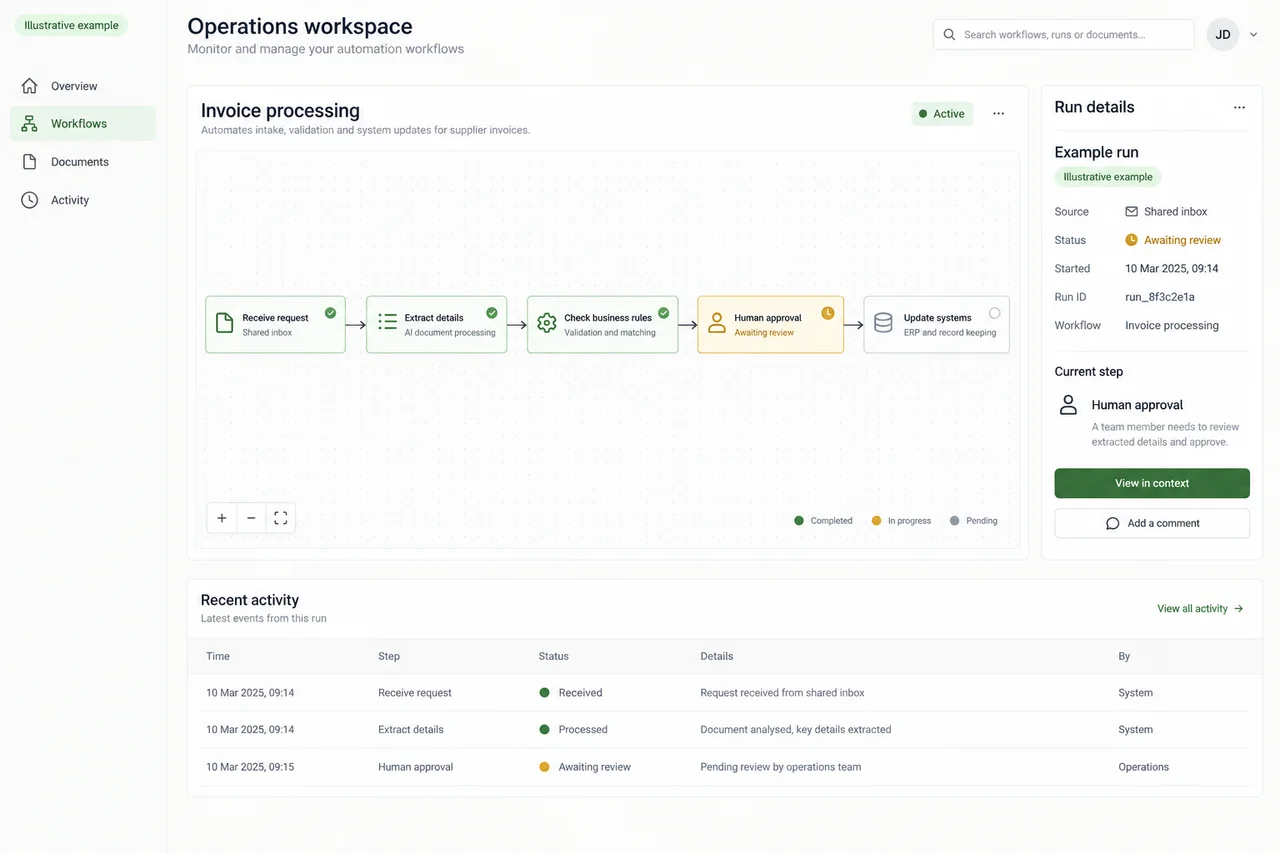
Example operations workspace connecting request intake, extraction, business rules and human approval.

Explore an example

Open the illustrative example

Client-side tool · dated vendor data

Australian plans and vendor pages

Tick the software you already pay for. The checker shows the AI each vendor includes or sells as an add-on, whether each vendor says where it's processed, and what's left for a build.

It runs in your browser, so nothing you tick is sent anywhere.

Vendors covered: Microsoft, Xero, MYOB, Dext, Karbon, PropertyMe, Rex, LEAP, Smokeball, Google, Zoom.

Vendor facts as at

Open the checker

The AI already inside the software you pay for.

The job

AI implementation starts with the software you already license. Check which features fit the job, configure the agreed access and review rules, then help staff use them and measure the change.

What you receive

An agreed use case, configuration record, staff guidance and a before-and-after workload review. Any policy or client-consent wording goes to your own adviser; vendor settings and availability are checked first.

Who it's for

Packages

Switch-on in 3 weeks

For
A firm of 20–300 staff with no IT team, whose software already includes AI features it hasn't set up or measured.
Scope
Week 1: an Admin Hours Audit. Weeks 2–3: configure the AI features you already own; for firms in Australia, apply the Safe-Use Kit for your industry where one is published; and train staff. Day 30: an hours-saved report.
Included
  • An hours map of where staff time goes, and which of it the tools you own could take on
  • A build, queue or park call on everything else
  • Set-up of the AI features you already license, directly or with your IT provider
  • For firms in Australia, the Safe-Use Kit for accounting, legal or property, applied as is, where one is published for your industry
  • Staff training
  • An hours-saved report at day 30, measured against the Audit baseline in your own units
Every package includes
  • A test on your own examples, with thresholds agreed before testing and every failure shown, or, for AI Switch-On, the hours saved, measured against a baseline taken before anything changes.
  • Where the work has a test set, a re-run of it when the AI model changes or may have changed: by us on a system we build or run, and by your team, with the kit we hand over, after an evaluation.
  • A one-page data note: where your data sits, where the model runs, retention and deletion.
  • A runbook and a handover.
  • The delivery choice that fits the package, named in its region note.
  • Your time commitment, stated in hours and weeks.
Your time
An operations lead for about 3 hours a week, admin access or your IT provider's help, and 2–3 staff to keep a one-week time log.
Timeline
3 weeks, plus the day-30 report.
Out of scope
  • Buying or reselling licences
  • Device management and Microsoft 365 administration, which stay with your IT provider
  • Building anything: a build is scoped after the Audit
  • Drafting or tailoring legal wording: your own adviser approves any consent, engagement-letter or policy text
Go/no-go gate
After the Week 1 Audit, you see the hours map and the build, queue or park call, and you decide whether to go ahead with Switch-On.
Region note
Switch-On uses AI inside tools you already license, so each vendor sets where processing happens. The data note shows what each vendor publishes about its processing location, with the date it was checked, or says that it publishes none.

We show you where your data is processed.

This page describes a packaged offer, not a delivered engagement.

Admin Hours Audit + Switch-On

Admin Hours Audit + Switch-On

For
Accounting practices, property-management groups, law firms and independent schools that want the AI they already license set up with ground rules and measured.
Scope
The Admin Hours Audit takes 1 week and maps where staff hours go. Switch-On takes 2–3 weeks: it configures features you already own; for firms in Australia, it applies the relevant Safe-Use Kit as published, where one has been published; and it trains staff and measures the hours saved at day 30.
Included
  • The Audit's hours map, with build, queue or park for each task
  • The baseline any later build is measured against
  • Set-up of the AI already in your practice, property or office software, such as Karbon AI's email summaries and suggested replies, or Reply with AiMe on PropertyMe's Advanced or Premier plan
  • For firms in Australia, the Safe-Use Kit for accounting, legal or property, applied as is, where one is published for your industry. Otherwise, your own AI policy applies.
  • Staff training, and the day-30 hours-saved report
Every package includes
  • A test on your own examples, with thresholds agreed before testing and every failure shown, or, for AI Switch-On, the hours saved, measured against a baseline taken before anything changes.
  • Where the work has a test set, a re-run of it when the AI model changes or may have changed: by us on a system we build or run, and by your team, with the kit we hand over, after an evaluation.
  • A one-page data note: where your data sits, where the model runs, retention and deletion.
  • A runbook and a handover.
  • The delivery choice that fits the package, named in its region note.
  • Your time commitment, stated in hours and weeks.
Your time
An operations lead for about 3 hours a week, admin access or your IT provider's help, and 2–3 staff to keep a one-week time log.
Timeline
1 week for the Audit, 2–3 weeks for Switch-On, then the day-30 report.
Out of scope
  • Connecting a general AI assistant to client or tenant data through a platform connector
  • Buying or reselling licences
  • Building anything: a build is scoped after the Audit
  • Tailoring kit wording: your own adviser approves any change
Go/no-go gate
After the Audit, you decide whether to go ahead with Switch-On, and you keep the hours map either way.
Region note
Every feature Switch-On sets up runs inside a platform you already license, where the vendor sets the processing location. The data note goes vendor by vendor: what each publishes about where its AI processing runs, or that it publishes none, with the date it was checked.

We show you where your data is processed.

This page describes a packaged offer, not a delivered engagement.

  • On request Private Workspace: A private AI workspace in your account in the region you choose, or in ours in an Australian region, for firms whose data rules bar the general AI tools they have and who hold no suitable licence.
  • On request Citation Verification & AI-Use Disclosure Log: A record for court work of who checked each authority, against which source and when, and which sections came from AI. The lawyer still does the checking.

How we test it

Acceptance test (not independent)

Switch-On is measured in hours, against the baseline the Audit sets.

  • A one-week time log from 2–3 staff before anything changes
  • The same measure at day 30, in your own units, such as hours a week

Read the evaluation method

Where it runs

  1. (c) Inside a platform you already license

    Runs inside software you already pay for, such as Microsoft Copilot, Xero or Dext, where the vendor sets the processing location. Where we build part of it, such as a retrieval index, that part runs in your own account in the region you choose, or in ours in an Australian region. Our team reaches it remotely from Sydney.

Switch-On works only inside platforms you already license, so each vendor sets where your data is processed. The Private Workspace, on request, is the option for work that has to stay in a particular region.

The region note

  • Where inference actually runs, which can differ from where the platform is hosted.
  • The provider's retention, abuse-monitoring and human-review settings.
  • What happens when the newest model isn't available in your chosen region.
  • For a platform you already license: the vendor's published processing location, or "not published", with its source and an as-at date, re-checked quarterly.

What we don't do

Use your platform's AI first

Check what you already pay for before you buy anything new: many practice, property and office platforms now include AI features. If your platform already covers the job you bring to the Fit Call, we'll say so and stop there.

  • We don't sell or resell software licences.
  • We don't draft or tailor legal wording: your own adviser approves any consent, engagement-letter or policy text.
  • We don't administer Microsoft 365 or manage devices. That stays with your IT provider.
  • We don't independently evaluate a tool we set up for you. Someone else should.

Questions

Can't we switch these features on ourselves?
You can. Switch-On is for firms without an IT team, or the time to work out which features fit which tasks. It starts with a one-week Audit of where staff hours go, and it ends with the hours saved measured at day 30.
Where is our data processed?
Inside the platforms you already license, where each vendor sets the processing location. The data note tells you, vendor by vendor, what each publishes about that location, or that it publishes none, and when it was checked.
What is a Safe-Use Kit?
A starter set for accounting, legal or property teams, such as consent wording, a one-page AI use policy and a verification log. Each kit is published only after review by an Australian legal practitioner, and Switch-On applies it as published. Your own adviser approves any change.
Will you evaluate the tools you switch on?
Not independently. We never issue an independent evaluation of a system we configured for the same client, so our own tests on it are labelled "acceptance test (not independent)".
Have you done this for other firms?
No. Techsider has no clients yet, and this page describes a packaged offer, not a delivered engagement. That's why the first week is an Audit you can stop after, and you keep the hours map either way.

Let’s put AI to work.

Talk to us about AI Switch-On
